QR Tably · by DGYTOS · Live demo · Setup in 48 hours

QR Tably: a digital menu for your restaurant, with orders and a control panel.

Show your digital menu through a QR code and a shareable link. Orders reach your control panel or your WhatsApp.

Also runs online stores for brands, like Shoes Mood. See the store →
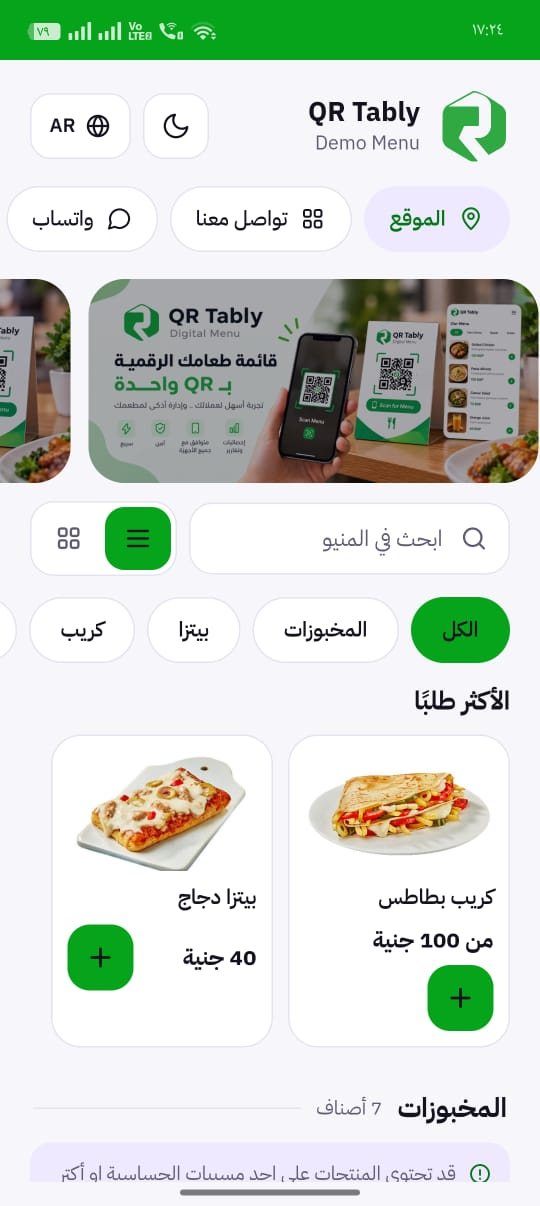
QR Tably demo menu on mobile
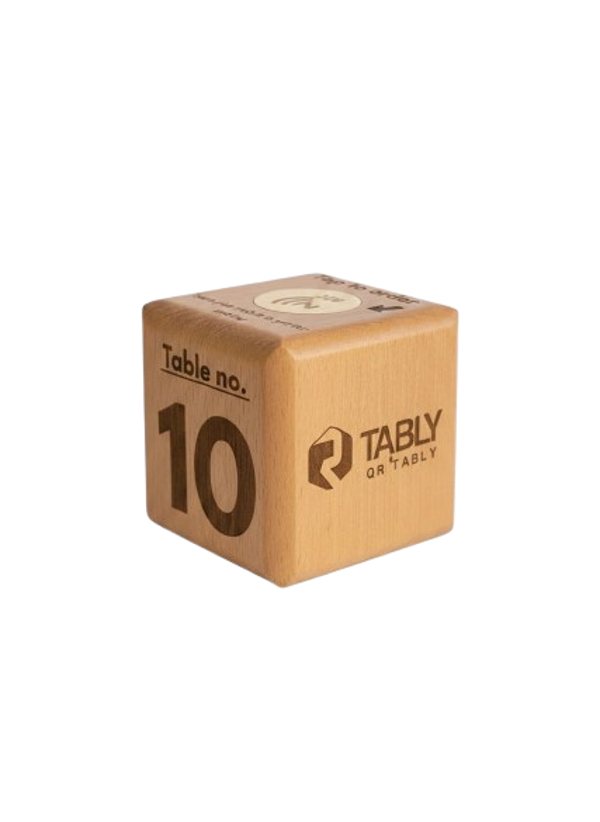
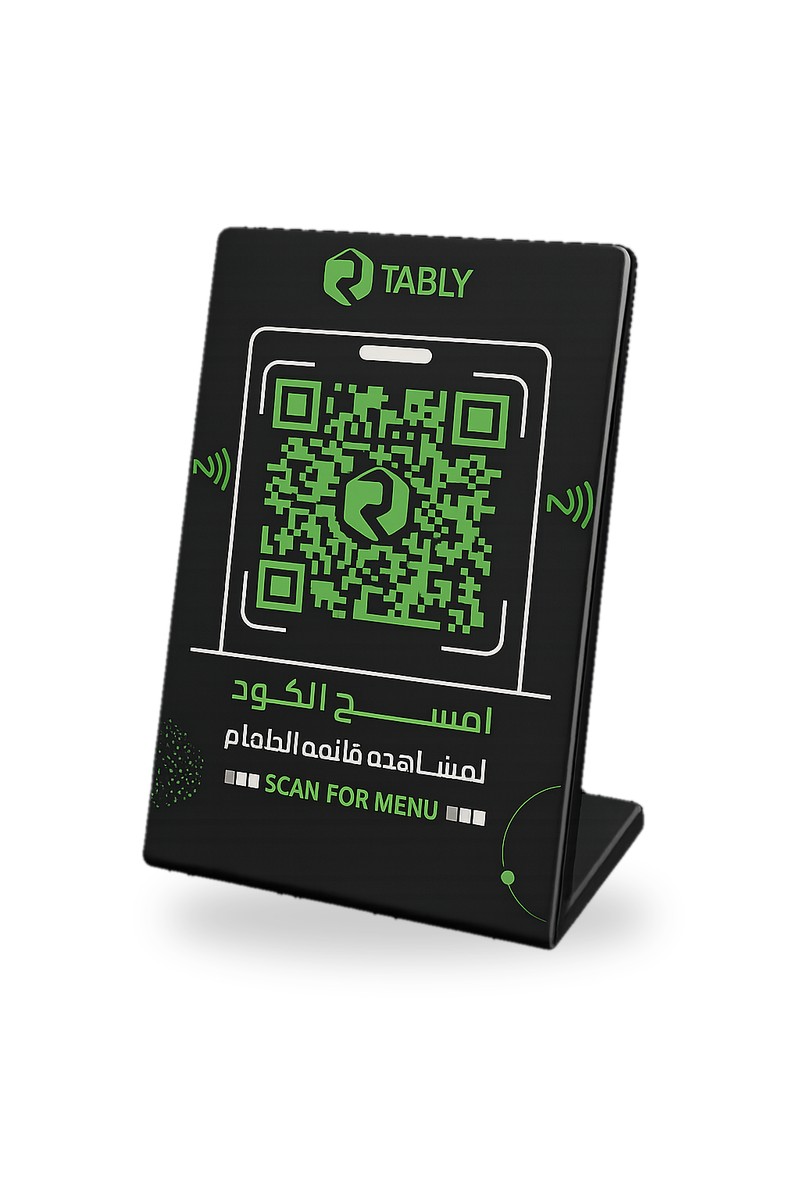
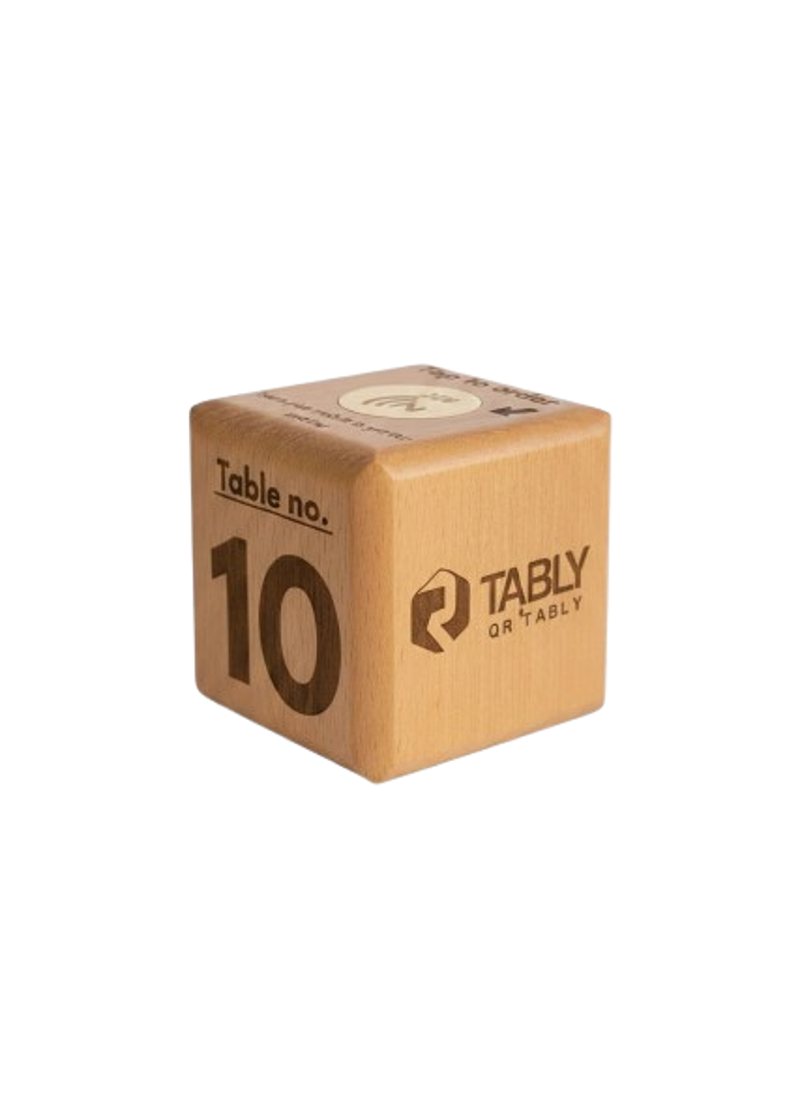
QR Tably wooden NFC table cubeQR Tably acrylic QR and NFC stand
How it works

Three steps, no paper menus

01Guests scan or tapA QR code or an NFC cube on the table opens your menu instantly.
02They orderGuests order from their phone, and the order reaches your control panel or WhatsApp.
03You manage everythingChange items, prices and orders from the admin dashboard in seconds.
Clients

Restaurants and cafes that run on QR Tably

A selection of the restaurants and cafes using QR Tably.

QR Tably client logo 1QR Tably client logo 2QR Tably client logo 3QR Tably client logo 4QR Tably client logo 5QR Tably client logo 6QR Tably client logo 7QR Tably client logo 8QR Tably client logo 9QR Tably client logo 10QR Tably client logo 11QR Tably client logo 12QR Tably client logo 13QR Tably client logo 14QR Tably client logo 15QR Tably client logo 16QR Tably client logo 17QR Tably client logo 18QR Tably client logo 19QR Tably client logo 20QR Tably client logo 21QR Tably client logo 22QR Tably client logo 23QR Tably client logo 24QR Tably client logo 25QR Tably client logo 26QR Tably client logo 27QR Tably client logo 28
Live demo

Try QR Tably before you subscribe

A working demo is available: a menu website plus a PWA app you can install on your phone.

Part 1Menu websiteThe menu page as your guests see it after scanning the QR code or opening the link.
Full QR Tably demo menu page
Scroll to see the full menu
Part 2PWA appInstalls from the browser onto the phone screen like any app, with no app store needed.
QR Tably demo menu on mobile
Menu home
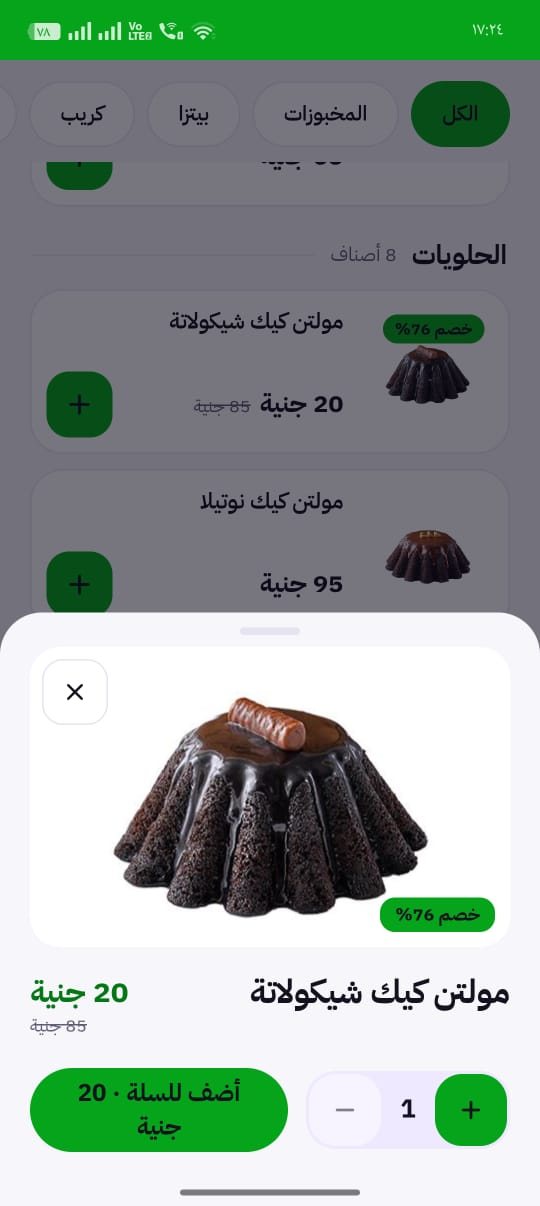
Item details with discount
Item details
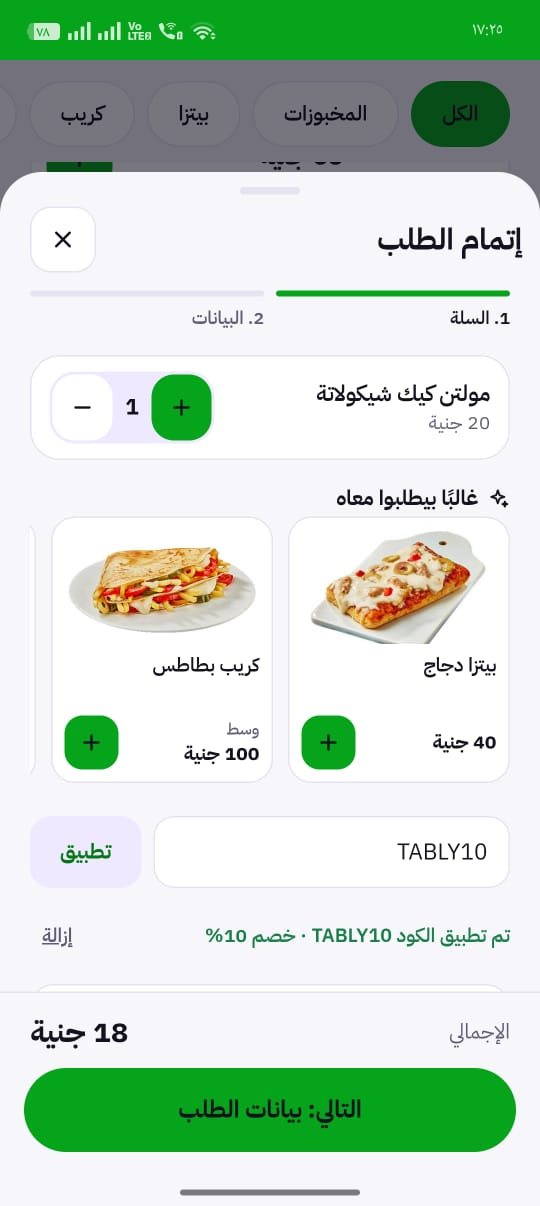
Cart with coupon code and suggested items
Cart and coupon
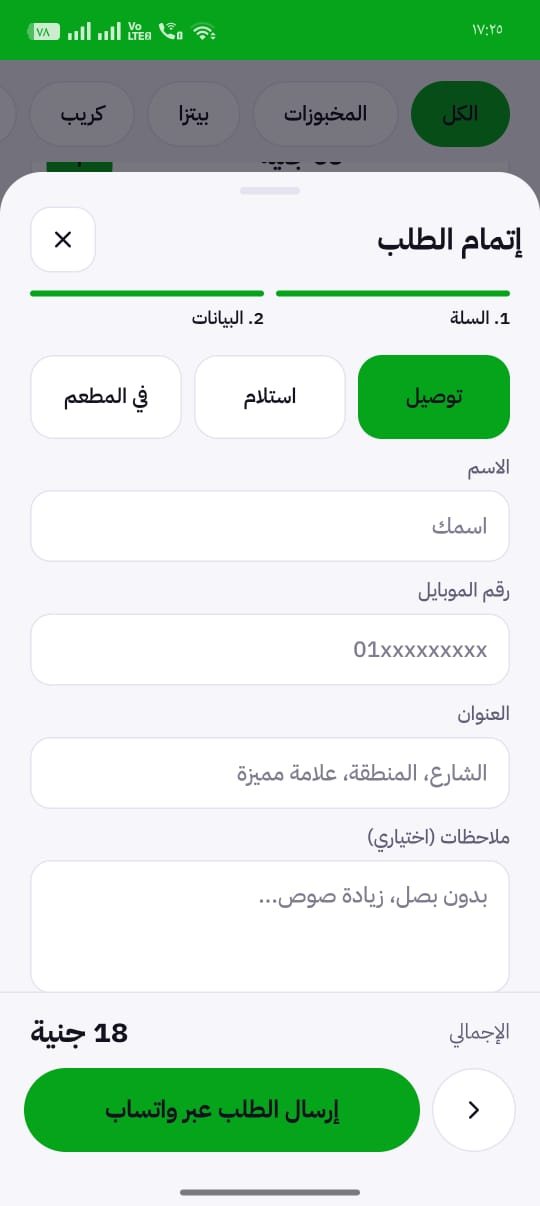
Checkout: delivery, pickup or dine-in, and send the order via WhatsApp
Checkout via WhatsApp
Open the demo
Control panel

Your restaurant dashboard, in one place

Manage the menu, tables, orders, coupons and reports from one control panel. Screenshots from the QR Tably demo account.

Try the owner dashboard

Log in to the same demo restaurant shown above and explore the control panel yourself. This is a shared demo account for testing, so please do not enter real customer data.

Usernametably
PasswordMobdelal@99
Open the dashboard demo
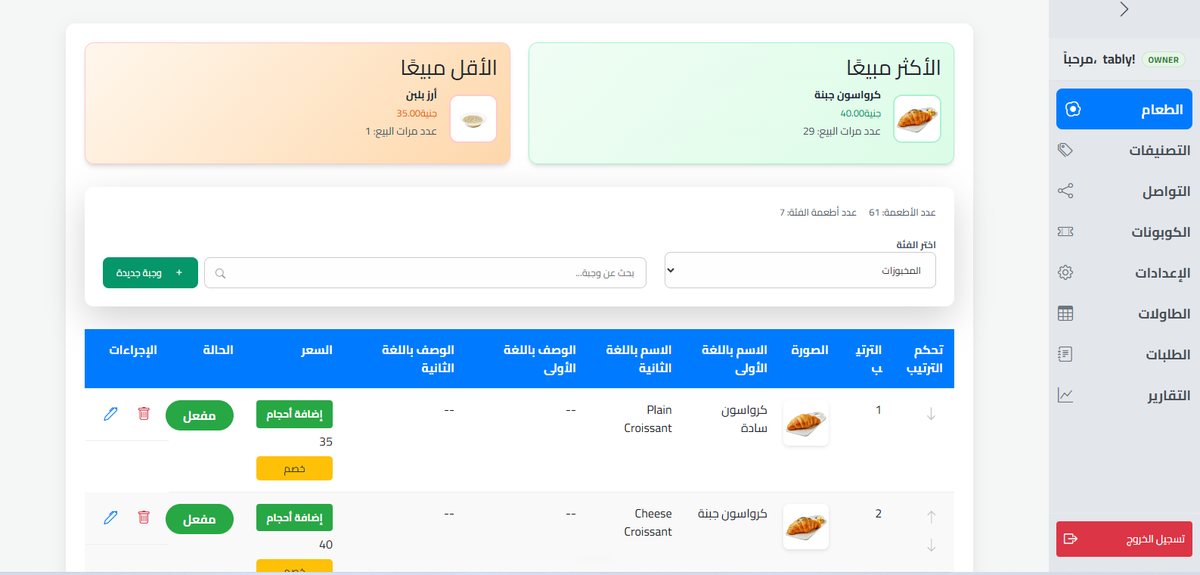
QR Tably dashboard: Menu items

Menu items

Add dishes with photos, names in two languages and prices. See your best and least sold items at a glance.

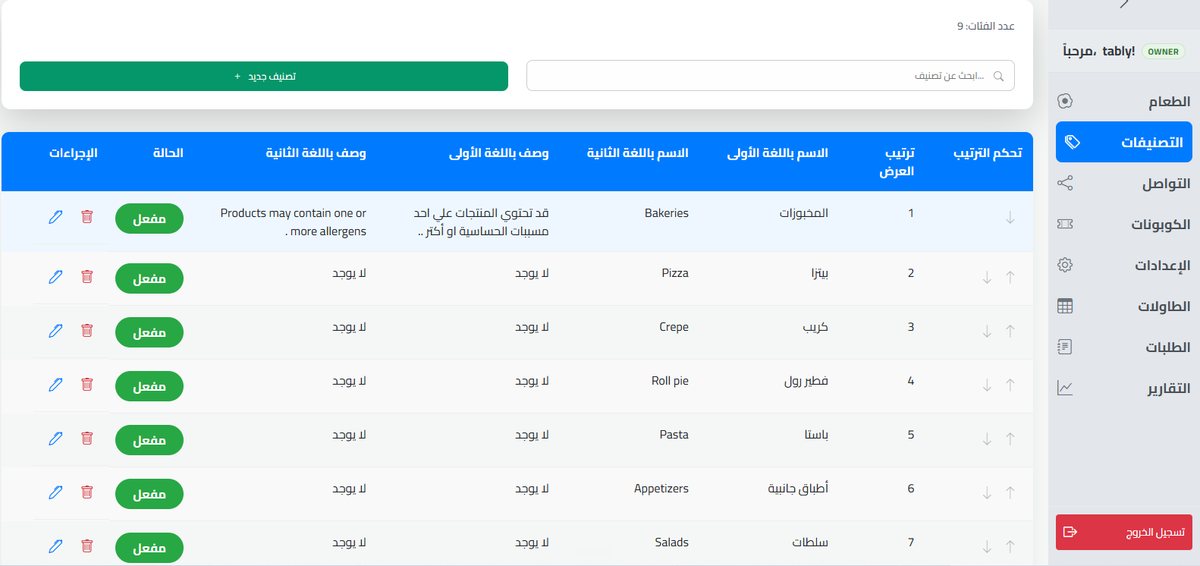
QR Tably dashboard: Categories

Categories

Create unlimited categories, name them in two languages, reorder them and switch each one on or off.

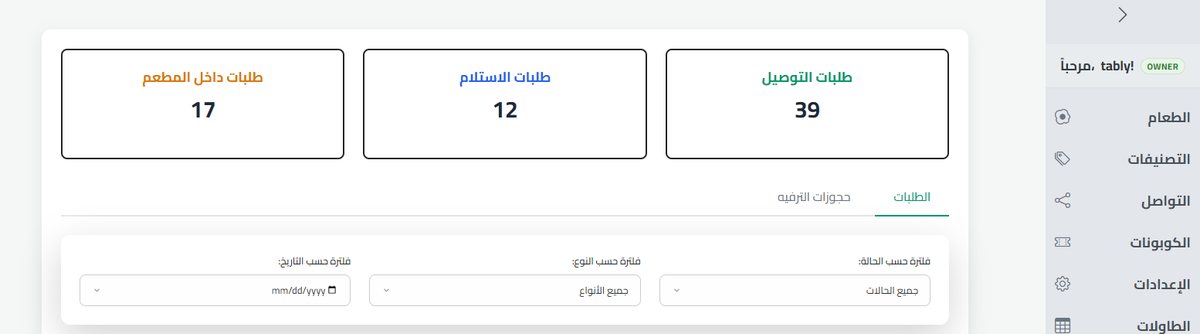
QR Tably dashboard: Orders

Orders

Follow delivery, pickup and dine-in orders live, filter by status, type or date, and update each order.

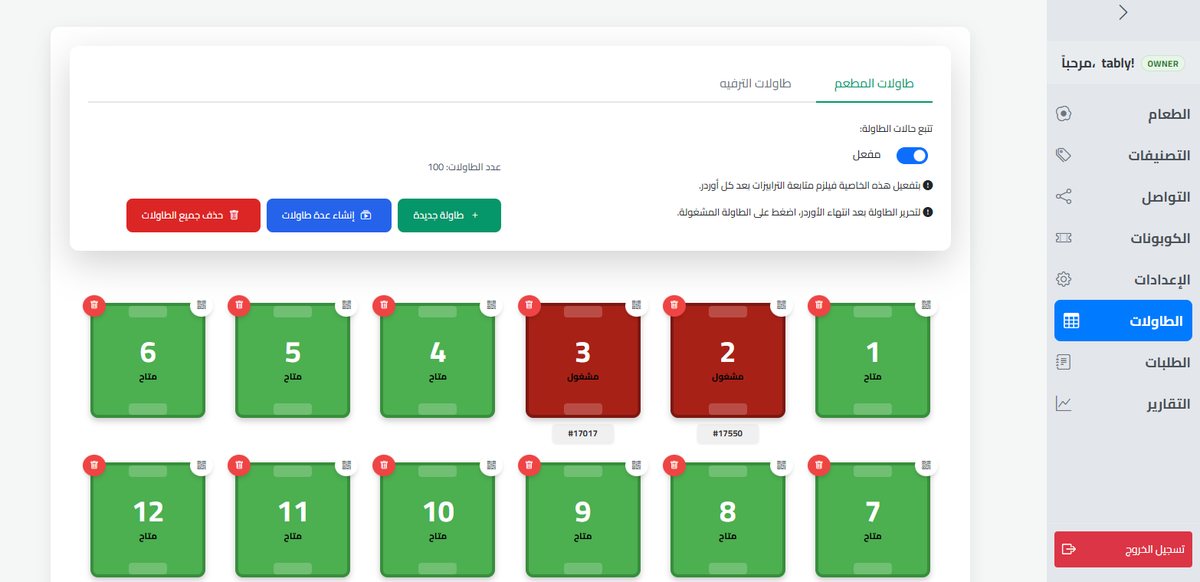
QR Tably dashboard: Tables and QR codes

Tables and QR codes

Add tables one by one or in bulk, get a QR code for each table and see which tables are free or busy.

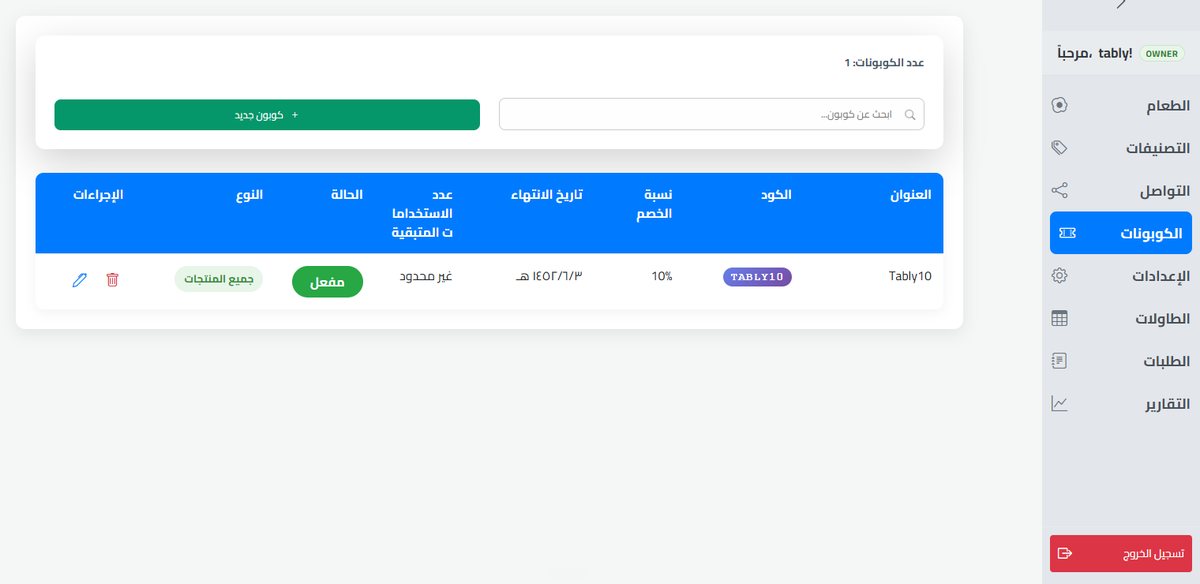
QR Tably dashboard: Discount coupons

Discount coupons

Create coupon codes with a percentage, an expiry date and a usage limit.

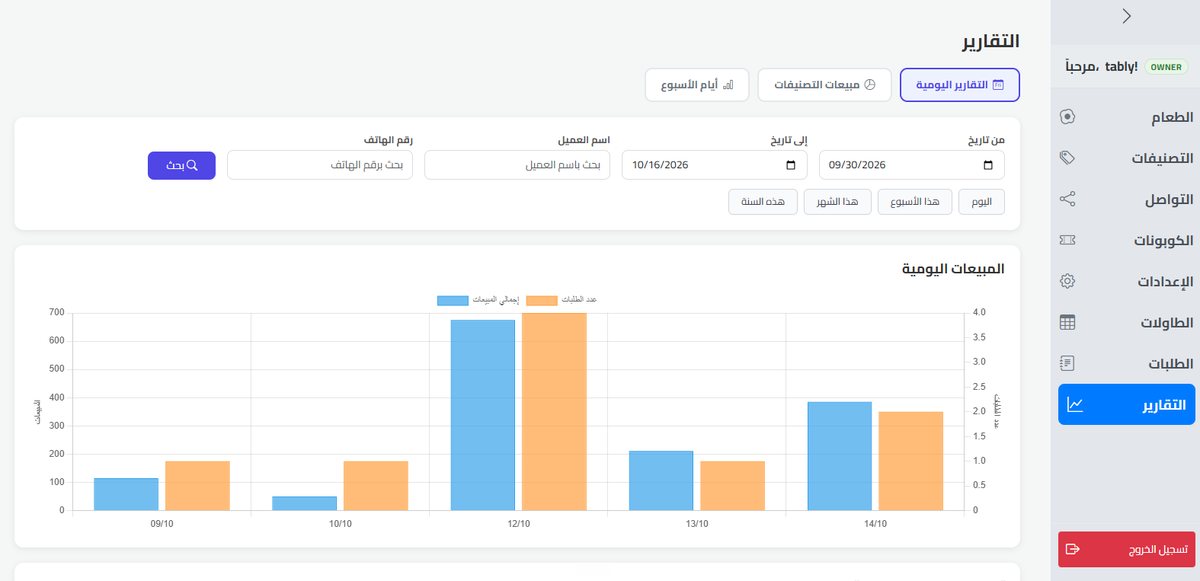
QR Tably dashboard: Sales reports

Sales reports

Track daily sales, sales by category and busiest weekdays, and search by date, name or phone.

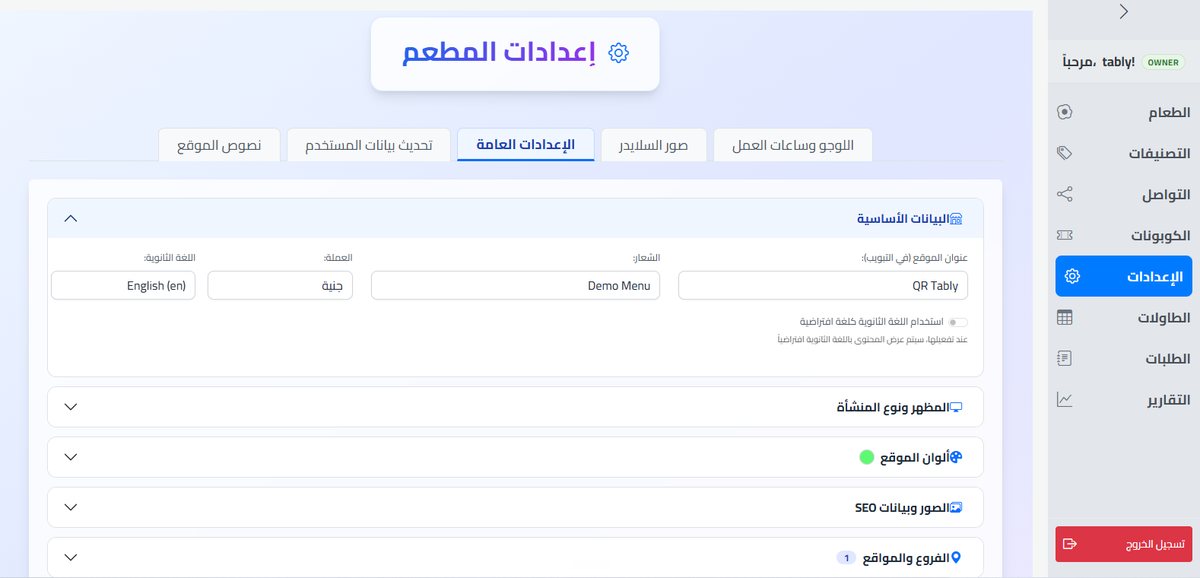
QR Tably dashboard: Restaurant settings

Restaurant settings

Set your logo, name, currency, second language, colors, look, SEO images and branches.

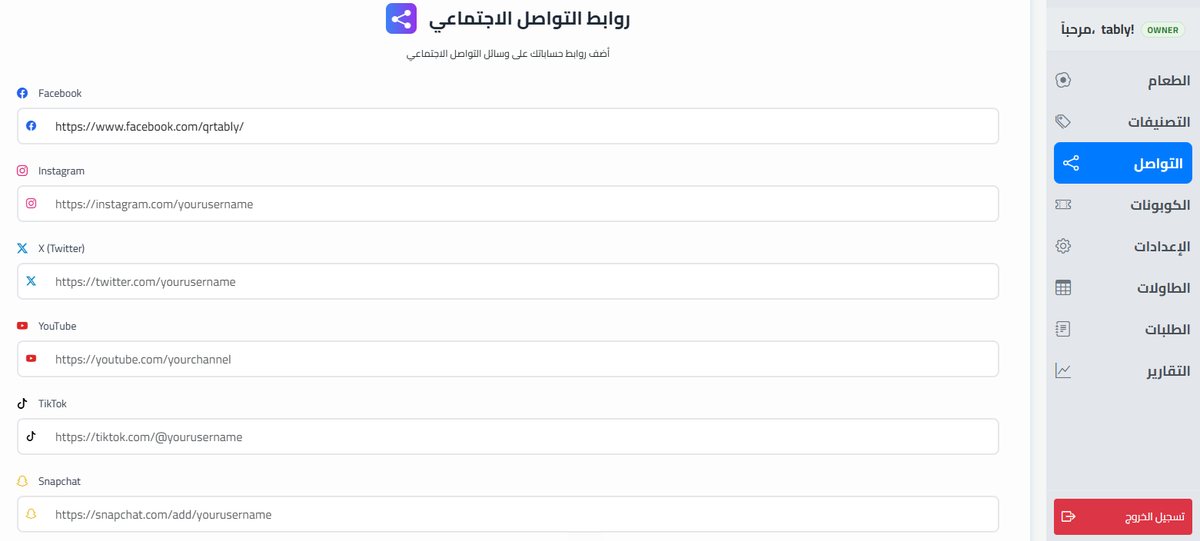
QR Tably dashboard: Social links

Social links

Add your Facebook, Instagram, X, YouTube, TikTok and Snapchat links to show on the menu.

Online stores

Not only menus: an online store for brands that sell online

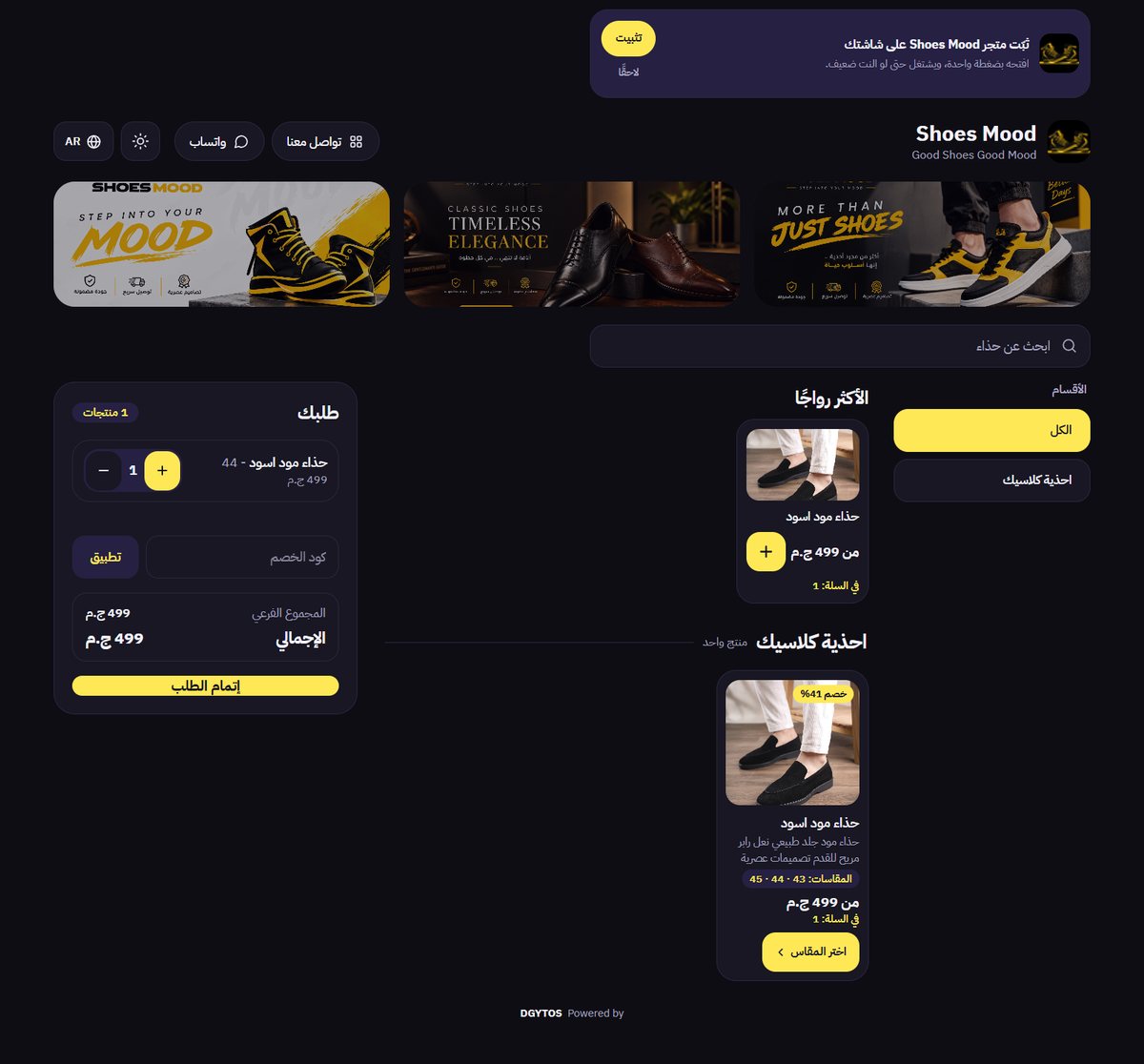
The same platform can run a branded online store: a product catalog with categories and sizes, discounts, a cart with coupon codes, checkout and orders, in Arabic and English with a dark or light look. See a live example: Shoes Mood.

Product catalog with categories, search and best sellers
Sizes and variants with discount badges
Cart with quantity, coupon code and subtotal
Arabic and English, dark and light mode
Installs on the customer's phone like an app
Contact and WhatsApp buttons
Shoes Mood online store built on QR Tably: product catalog, sizes and cart
Shoes Mood online store, built on QR Tably
Products

Hardware that looks good on the table

Wooden NFC cubes and acrylic QR stands, branded for your restaurant.

View products and prices →
Acrylic QR menu stand
Acrylic QR menu stand · A6White acrylic stand with your logo, QR code and NFC
Wooden NFC table cube
Wooden NFC table cubeTable number engraved, tap or scan for the menu
Subscriptions

QR Tably subscriptions

Prices shown are after a 50% discount. Every plan has the same features; only the length differs. Setup takes 48 hours.

Monthly50% off299 EGP / monthChoose monthly
6 months50% off1,499 EGP / 6 monthsSaves 295 EGP vs. 6 monthly paymentsChoose 6 months
Annual50% off · Best value2,499 EGP / yearSaves 1,089 EGP vs. 12 monthly paymentsChoose annual

Every subscription includes

QR code for your menu
Shareable menu link
Mobile app that installs on the customer's screen
Control panel to add and edit menu items and receive orders
Unlimited categories
Unlimited items
Discount coupon system
Social media links on the menu
Receive orders via WhatsApp
A unique QR code for every table
Sales reports and statistics

Ready to see it on your own tables?

Try the live demo, or talk to us and your menu will be set up within 48 hours.

FAQ

Questions about QR Tably

What is QR Tably?

QR Tably is a digital menu and ordering platform for restaurants and cafes, built by DGYTOS. Guests scan a QR code or tap an NFC cube to open your menu on their phone, and you manage items, prices, offers and orders from one control panel. It can also run an online store for brands that sell online.

Can QR Tably be used as an online store?

Yes. Besides digital menus for restaurants and cafes, the same platform can run an online store for brands that sell online, with a product catalog, sizes, discounts, a cart, coupon codes and orders. Shoes Mood is a live example.

How much does QR Tably cost?

QR Tably has three plans, shown after a 50% discount: 299 EGP per month, 1,499 EGP for 6 months, or 2,499 EGP per year. All plans include the same features; only the length of the subscription differs.

How long does setup take?

We set up your digital menu within 48 hours.

Do my guests need to install an app?

No. Guests scan the QR code or tap the NFC cube and the menu opens in their phone browser. They can also add it to their home screen from the browser if they want.

How do I receive orders?

Orders reach your control panel and can be sent to your WhatsApp. At checkout guests choose delivery, pickup or dine-in, and can use a coupon code.

Can I edit my menu and prices myself?

Yes. The control panel lets you add and edit categories, items, prices, discounts and coupons at any time, manage tables and orders, and view sales reports. Changes appear on the menu straight away.

Are the NFC cubes and stands included in the subscription?

No, the physical products are sold separately, and the digital menu works with a QR code and a shareable link even without them. You can see the available products and current prices at qrtably.com/products.

Opening a restaurant, or ready to go digital?

Talk to us and we will set up your menu and the right products for your tables. Phone: 01150456885
Get QR Tably for my restaurant